
From Telegram to Google Calendar in seconds.
Send a text or voice message in Telegram. Review the extracted event details, then save it to Google Calendar with one tap.
'/%3e%3cpath%20d='M46.9685%2044.5C46.9685%2050.299%2042.2706%2055%2036.4755%2055C30.6804%2055%2025.9826%2050.299%2025.9826%2044.5C25.9826%2038.701%2030.6804%2034%2036.4755%2034C42.2706%2034%2046.9685%2038.701%2046.9685%2044.5Z'%20fill='white'/%3e%3cpath%20d='M56.9618%2054.5C56.9618%2057.5376%2054.501%2060%2051.4655%2060C48.4299%2060%2045.9691%2057.5376%2045.9691%2054.5C45.9691%2051.4624%2048.4299%2049%2051.4655%2049C54.501%2049%2056.9618%2051.4624%2056.9618%2054.5Z'%20fill='white'/%3e%3cpath%20d='M70.9524%2050C70.9524%2052.7614%2068.7153%2055%2065.9557%2055C63.1962%2055%2060.9591%2052.7614%2060.9591%2050C60.9591%2047.2386%2063.1962%2045%2065.9557%2045C68.7153%2045%2070.9524%2047.2386%2070.9524%2050Z'%20fill='white'/%3e%3cpath%20d='M98.4616%2022.0631C96.9626%2021.5631%2093.465%2024.0631%2092.9653%2028.5631C92.4656%2033.0631%2086.1742%2048.5434%2074.9774%2058.0631C63.8215%2067.548%2047.6204%2074.67%2033.0087%2075.5631C22.7616%2076.1894%2013.9629%2071.4369%2010.493%2065C7.023%2058.5631%205.99597%2052.5%205.99597%2052.5C5.99597%2052.5%200.537028%2052.7197%200.0308505%2062.5631C-0.79344%2078.5926%2015.0209%2088.0631%2033.0087%2087.0631C50.9966%2086.0631%2063.3169%2081.7957%2077.9785%2070.0631C92.1381%2058.7322%20103.458%2038.0631%20103.961%2031.5631C104.464%2025.0631%2099.9606%2022.5631%2098.4616%2022.0631Z'%20fill='url(%23paint1_radial_91_1725)'/%3e%3cpath%20d='M99.9329%2012C99.9329%2015.3137%2097.2484%2018%2093.9369%2018C90.6255%2018%2087.941%2015.3137%2087.941%2012C87.941%208.68629%2090.6255%206%2093.9369%206C97.2484%206%2099.9329%208.68629%2099.9329%2012Z'%20fill='url(%23paint2_radial_91_1725)'/%3e%3cdefs%3e%3cradialGradient%20id='paint0_radial_91_1725'%20cx='0'%20cy='0'%20r='1'%20gradientTransform='matrix(-9.49363%2086.5%20-86.442%20-9.5%2031.9785%2044)'%20gradientUnits='userSpaceOnUse'%3e%3cstop%20stop-color='%23A189FB'/%3e%3cstop%20offset='0.516138'%20stop-color='%237E5AFC'/%3e%3cstop%20offset='1'%20stop-color='%23BEA6FB'/%3e%3c/radialGradient%3e%3cradialGradient%20id='paint1_radial_91_1725'%20cx='0'%20cy='0'%20r='1'%20gradientTransform='matrix(-0.113219%205.81577%20-5.81187%20-0.28922%2094.0502%2012.1842)'%20gradientUnits='userSpaceOnUse'%3e%3cstop%20stop-color='%23EBFDA2'/%3e%3cstop%20offset='1'%20stop-color='%23FED9B7'/%3e%3c/radialGradient%3e%3cradialGradient%20id='paint2_radial_91_1725'%20cx='0'%20cy='0'%20r='1'%20gradientTransform='matrix(-0.113219%205.81577%20-5.81187%20-0.28922%2094.0502%2012.1842)'%20gradientUnits='userSpaceOnUse'%3e%3cstop%20stop-color='%23EBFDA2'/%3e%3cstop%20offset='1'%20stop-color='%23FED9B7'/%3e%3c/radialGradient%3e%3c/defs%3e%3c/svg%3e)
From Telegram to Google Calendar
Creating calendar events should feel like chatting. Send a message, review the details, and confirm.
Send it
Type a message or record a voice note in Telegram.
We extract
We find the title, date, time, and location for you to review.
It’s on your calendar
Confirm once, and your event is added to Google Calendar.
See it in action
From tapping Start to a confirmed event on your calendar – the same short flow every time, by text or by voice.
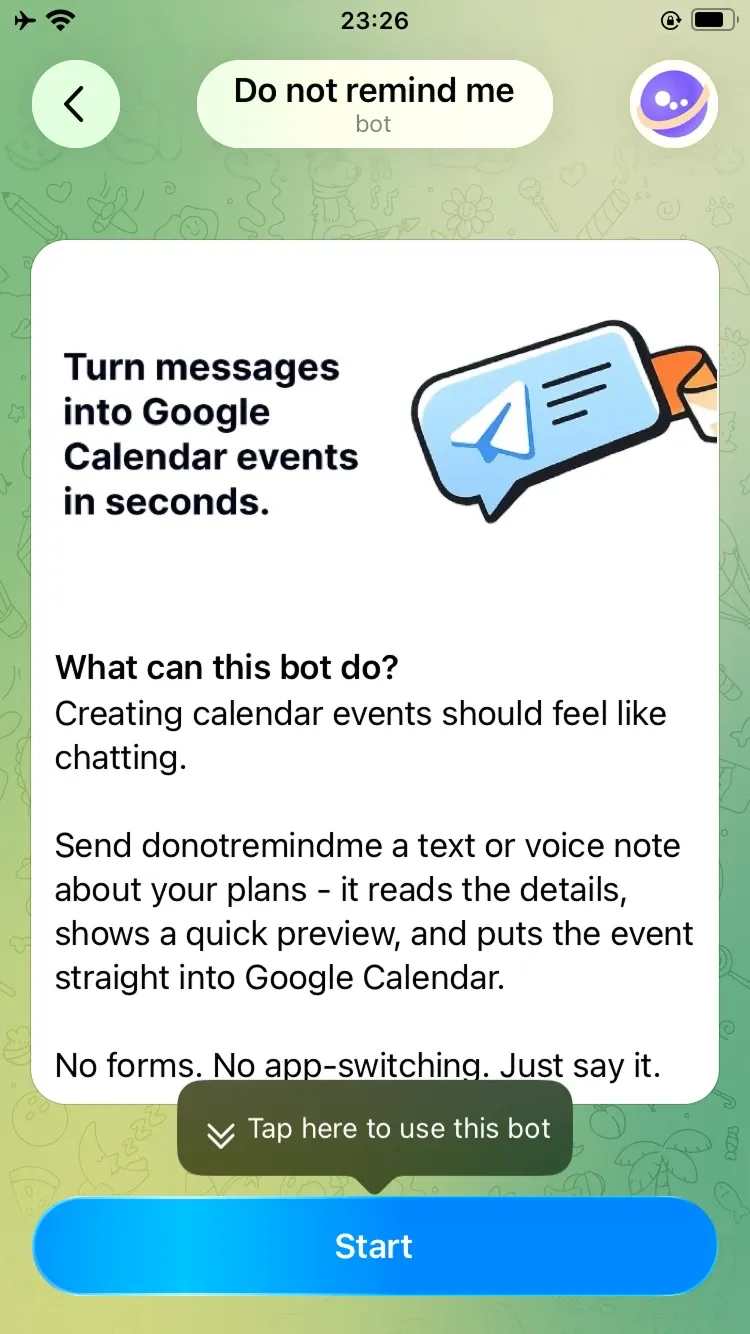
Open the bot in Telegram
Tap Start – no setup screens, just chat.
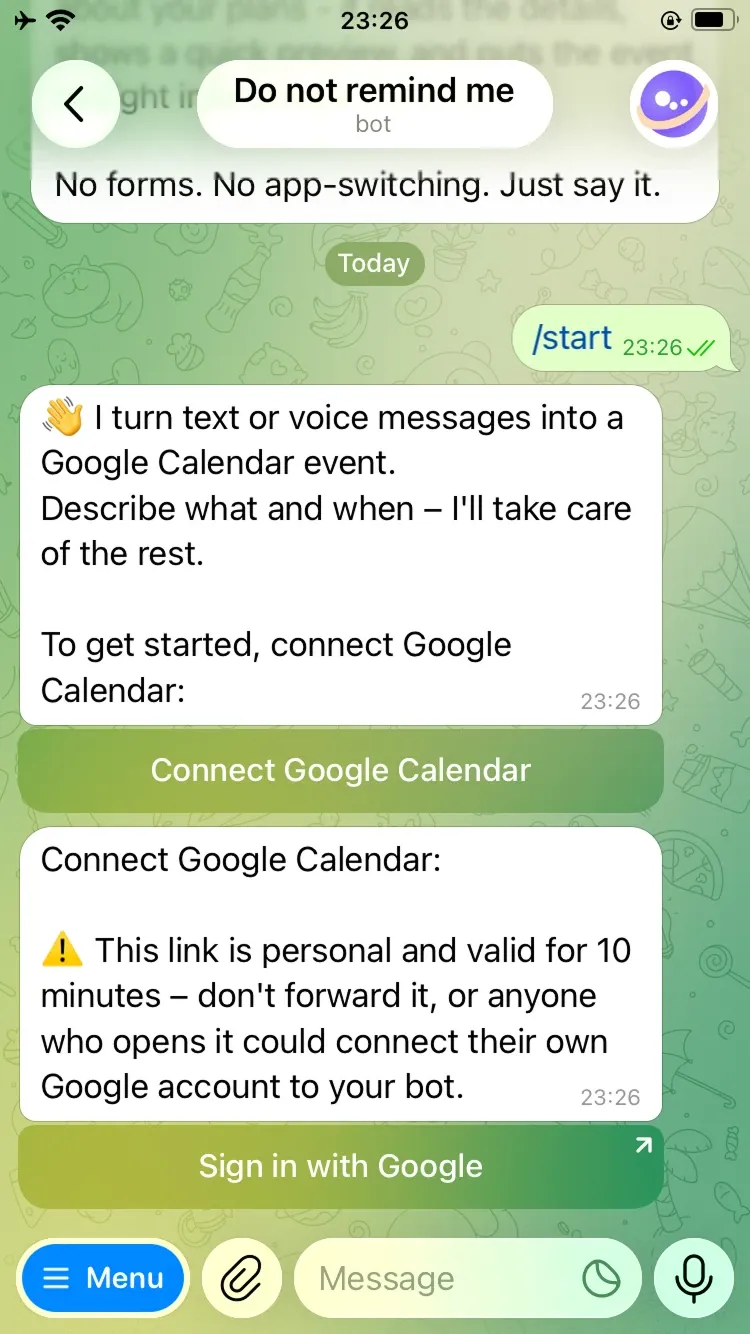
Connect Google Calendar
Reply /start, then connect your Google account.
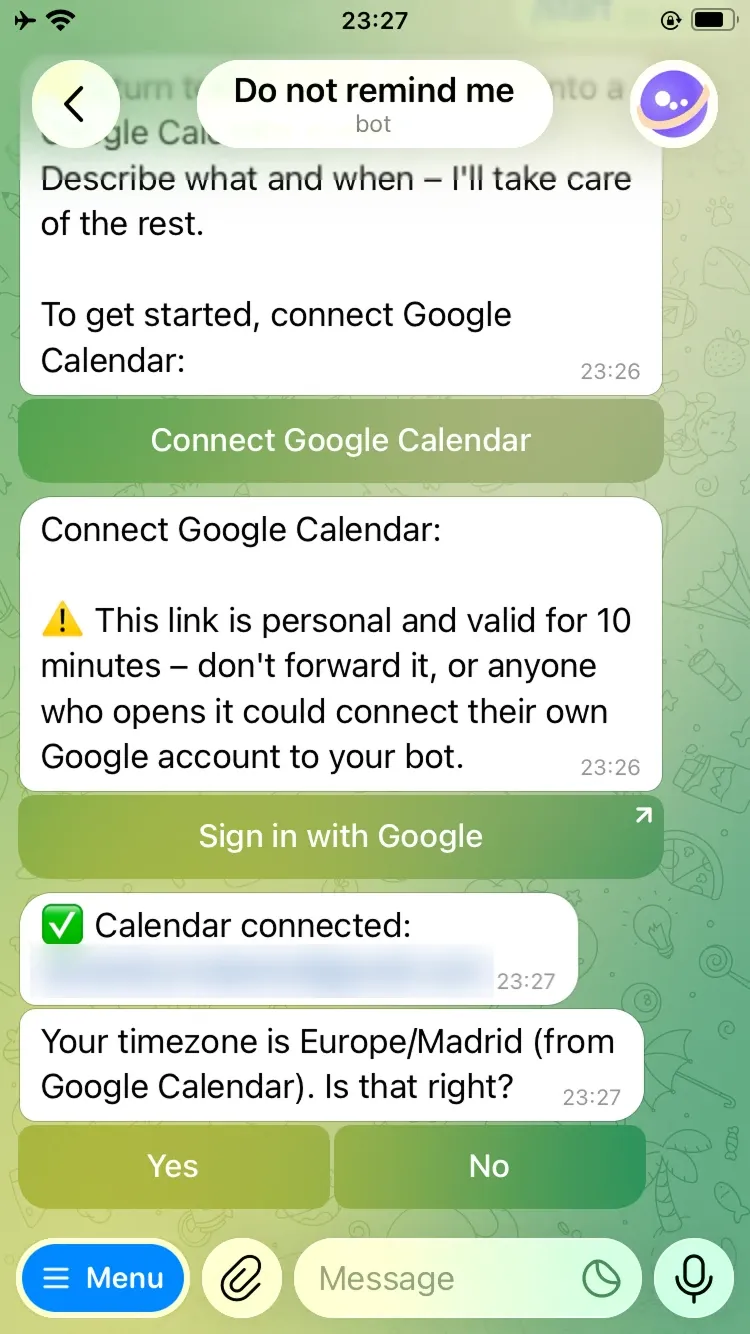
Confirm your timezone
Read from Google Calendar, then confirmed with you.
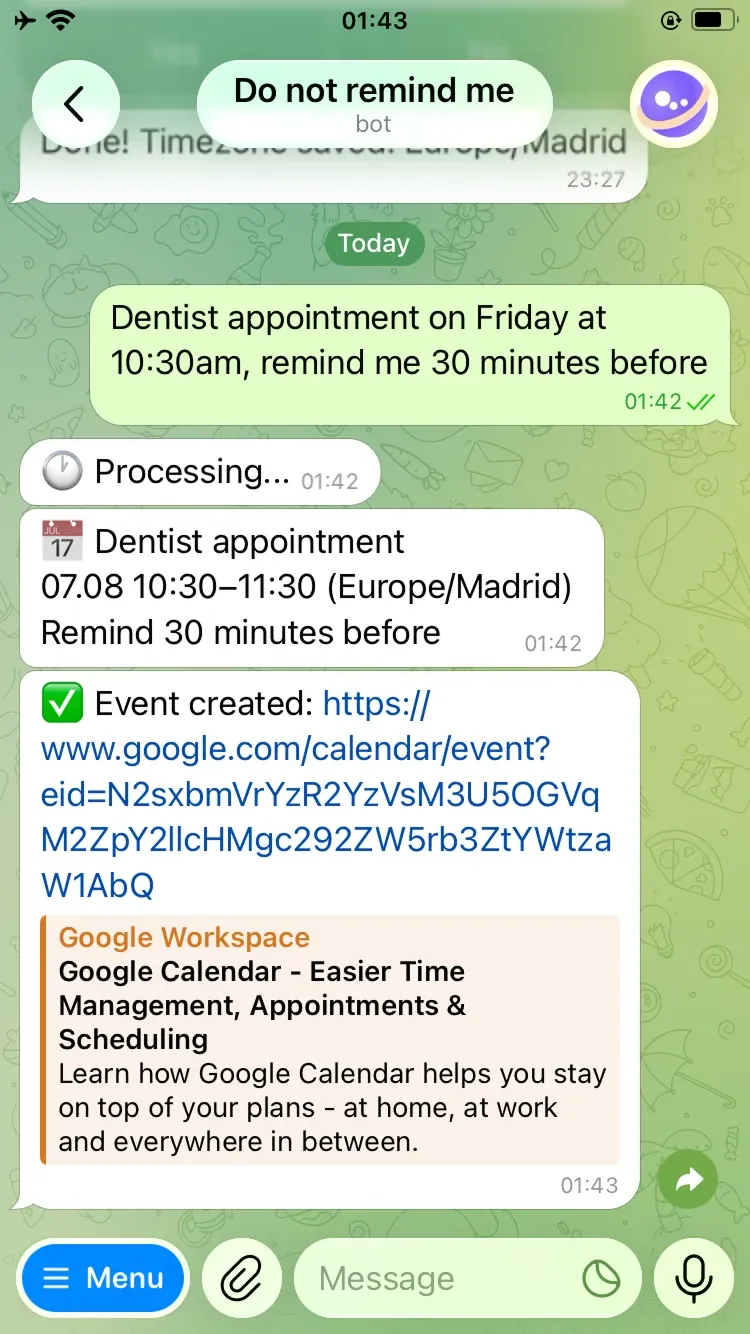
Text a plan, get an event
Describe it – it lands on your calendar with a link back.
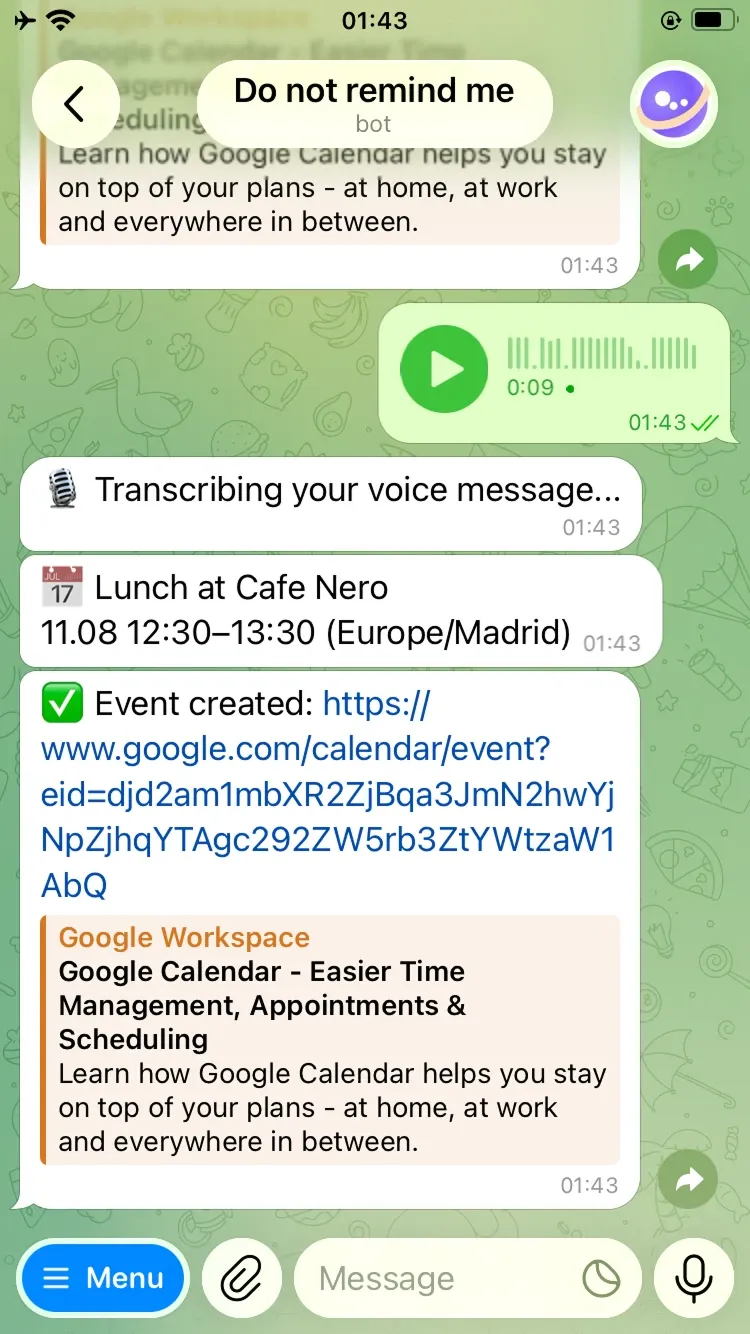
Or just say it
Send a voice note – it gets transcribed the same way.
Why people use Do not remind me
Faster than Google Calendar
No need to open an app or website. Just send a message or voice note.
Voice and text input
Use the way that’s most natural and convenient for you.
Works entirely inside Telegram
Stay in your chats and handle your schedule without switching apps.
Secure Google OAuth connection
We only create the events you confirm – and never store your password.
Ready to try it?
Create events in seconds, right from Telegram.